
Introduction
You rarely need to edit a file. Sign in as an admin and open Admin → Settings: every setting on these pages has a field there, in a category with a sentence about what it does, and a Save bar that covers them all. Keys, models, sign-in, mail, the network filter: all of it is set up in the browser.
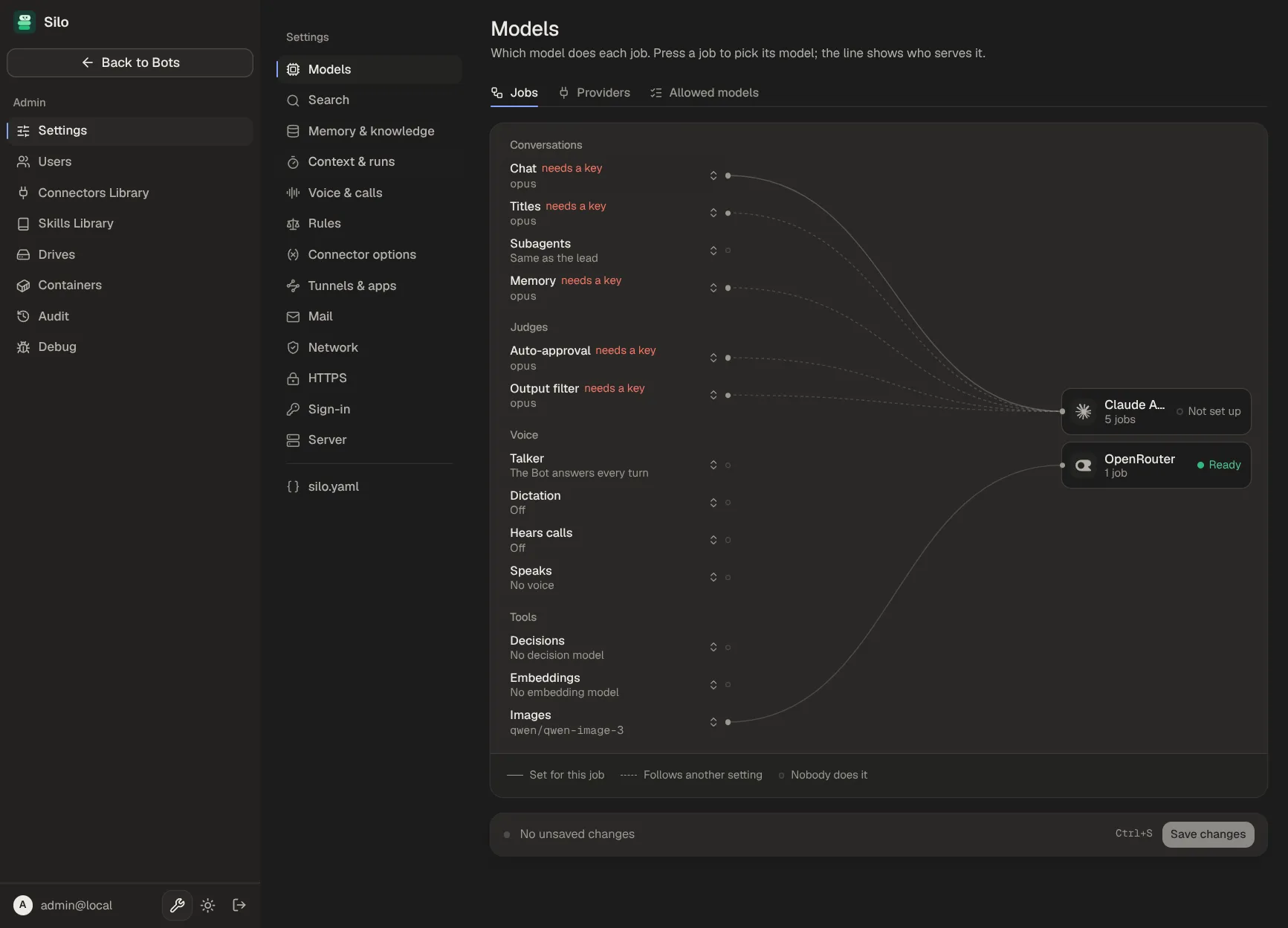
The pages in this section are the reference behind those forms. Reach for them to look up what a setting does or what its default is, to set Silo up from a file or the environment (a container, SiloOS’s cloud-init, a deployment tool), or to fix a setting Admin cannot reach.
Where settings come from
Section titled “Where settings come from”Silo reads its settings in this order, and a later source wins:
- The defaults built into the control plane.
silo.yamlin the control plane’s working directory (the repository root in development,/var/lib/siloin the container images).SILO_*environment variables.
Admin → Settings writes silo.yaml, and nothing else. It has a silo.yaml page that shows the whole file and edits it as text. A setting fixed by an environment variable is shown in Admin as locked, with a note saying so, because the variable would win anyway.
So pick one place per setting: Admin for what you will change, the environment for what a deployment fixes (the database, the first admin, the public address).
Environment variables
Section titled “Environment variables”A key’s variable is SILO_ followed by the key in capitals, with each . written as two underscores:
SILO_PROVIDERS__OPENROUTER__API_KEY=sk-or-… # providers.openrouter.api_keySILO_MAIL__DOMAIN=bots.example.com # mail.domainA setting that holds a list of names takes them comma-separated (SILO_AUTOENABLE_CONNECTORS=lightpanda,fal_ai). The few lists of objects (context.windows, thinking.levels, egress.feeds) can only be set in YAML.
What needs a restart
Section titled “What needs a restart”Almost everything applies as soon as it is saved. These do not, and Admin marks them: http_addr, worker_addr, data_dir, database_url, docker_host, bootstrap.* and the call ports (voice.webrtc.udp_port, tcp_port, public_ips).
The first five
Section titled “The first five”What a new installation needs before anything else. Only the database and the first admin have to be set outside Admin, because Admin needs both to open.
| Setting | What it is |
|---|---|
database_url |
Postgres 17 with pgvector. |
bootstrap.* |
The first admin. It acts only while no enabled admin exists. See Sign-in. |
public_url |
The address people open. Sign-in, OAuth callbacks and cookies depend on it. |
providers.<id>.api_key |
A model provider’s key, under Admin → Settings → Models → Providers. See Models and providers. |
models and model |
The text models people may pick, and the default. No model is built in. |
Every page
Section titled “Every page”| Page | What it covers |
|---|---|
| Models and providers | Providers and their keys, the allowlists, which model does which job, fast mode, decision models, a Claude subscription, images |
| Voice and calls | Dictation, Read aloud, calls and the talker |
| Sign-in | The first admin, invites, two-factor, a reverse proxy, single sign-on |
| Domains and HTTPS | The content domain for tunnels, apps and shares, and certificates through Caddy |
| Every Bot’s receive-only address | |
| Network | The network filter between Bots and the internet, and what the control plane itself may reach |
| Containers | Images and updates, a Bot machine’s limits, and running the control plane in a container |
| Search and reading | The web search engine and the page reader |
| A Bot’s work | Memory, Knowledge, Changes, artifacts, how long a run may grow |
| Rules and the filter | The operator’s policies, the output filter and the audit log |
| Connectors and drives | Connector variables, connectors on every new Bot, drive providers |
What is not in the settings
Section titled “What is not in the settings”- The libraries of connectors and skills are in Postgres and
data/skills/, edited under Admin → Connectors Library and Admin → Skills Library. - People, sessions, invite links and two-factor secrets are in Postgres, under Admin → Users.
- Everything a Bot has: its chats, secrets, rules, memories and its machine’s id are in Postgres; its workspace, artifacts and change history under
data/bots/<id>. - A chat’s model, when someone picks one other than the Bot’s default, is stored with the chat.